
Adjustable Bed with Smartphone App Australia: A Complete Buying and Setup Guide
7 January 2026 · Nathan Kerrins · Updated 23 July 2026
Ever tried to find that perfect spot on the mattress, only to end up twisting like you’re doing yoga in the dark? That’s the frustration many of us feel when a traditional bed just won’t cooperate.
Now imagine pressing a button on your phone and having the whole base glide into a position that cradles your back, lifts your legs, or even lowers the head for reading. That’s the promise of an adjustable bed with smartphone app Australia offers.
For folks dealing with chronic pain, those tiny adjustments can be the difference between waking up stiff and feeling refreshed. NDIS participants often tell us the same – a simple tilt can ease pressure points that a static mattress just can’t.
And it isn’t just about health. Seniors love the ease of getting in and out of bed without straining the hips. Caregivers appreciate that a single tap can lower the bed for a safe transfer, reducing the risk of falls.
What really sets the modern systems apart is the integration with your smartphone. Whether you’re on iOS or Android, the app lets you save favourite positions, set timers, and even sync with your smart home routine.
If you’ve ever fiddled with a clunky remote, you’ll love the sleek UI that feels like scrolling through your music playlist. No more hunting for buttons in the night – just a gentle swipe and you’re set.
Our own line, the Sophie Adjustable Beds, showcases that blend of comfort and tech. Customers tell us the app’s “bed‑by‑bed” profiles let them switch from a firm reading mode to a relaxed recline in seconds.
But you might wonder, is it worth the extra cost? Think of it as an investment in nightly recovery – a small price for the ability to fine‑tune your sleep environment without getting out of bed.
So, what’s the next step? If you’re curious, explore the app demo on our website, try out the preset positions, and see how a few seconds of control can change the way you wake up.
TL;DR
An adjustable bed with smartphone app Australia lets you instantly fine‑tune head, foot and lumbar angles from your phone, delivering relief for chronic‑pain sufferers, safer transfers for seniors, and therapeutic support for NDIS participants. With Sleep Sophie’s intuitive app, you gain effortless control, better sleep quality, and a smart investment in nightly recovery.
Understanding Adjustable Beds with Smartphone Apps
When you first hear about an adjustable bed with smartphone app Australia, the idea can feel like sci‑fi meets bedroom furniture. And yet, the tech is surprisingly simple: a motorized frame talks to a small Bluetooth or Wi‑Fi module, which the phone app controls with a swipe.
Think about the last time you tried to find that sweet spot on a mattress, twisting and sighing in the dark. Now picture tapping a button on your phone while still half‑asleep, and the head of the bed lifts just enough to ease a sore neck. That instant, hands‑free adjustment is the core promise of the smart‑controlled bed.
How the app talks to the bed
The app is essentially a remote that lives on your iOS or Android device. It sends a signal to the bed’s controller, which then powers the motors to tilt the head, foot or lumbar sections. Most apps let you save presets – “Reading”, “Zero‑Gravity”, “Leg‑Up” – so you don’t have to remember the exact angle each night.
Because the connection is usually over Bluetooth, you don’t need a separate hub or a complicated network setup. If your Wi‑Fi is on, some brands even let you control the bed from another room, which is handy when you’re already in the bathroom and want the bed to lower for a safer transfer.
Why the smartphone matters
Traditional remotes can be clunky, hidden under blankets, or lost on nightstands. Your phone, on the other hand, is already in your hand. The app can also integrate with other smart‑home routines – imagine the lights dimming and the thermostat adjusting right after the bed moves into a recline.
For chronic‑pain sufferers, that means you can create a “Morning Stretch” routine that raises the legs a few centimeters as soon as the alarm goes off. For NDIS participants, caregivers can set a timer so the bed automatically lowers after a therapy session, reducing the need for manual adjustments.
And here’s a little trick we’ve seen work: set a 10‑minute “sleep‑prep” timer that gradually lowers the head while playing calming music. The gradual change helps the body transition, and many users report feeling more relaxed before drifting off.
Notice how the video walks through the app’s main screen, showing where you can tap to save a favourite position. That visual cue makes the learning curve feel like scrolling through a playlist rather than reading a manual.
Now, let’s talk about safety. The app usually includes a “stop” button that cuts power to the motors instantly – a must‑have if you feel an uncomfortable movement. Some models also have sensors that prevent the bed from moving if a person is detected in the path, which can be a lifesaver for seniors.
So, does the technology add a lot of cost? In most cases, the price difference is the controller and the app development, not the core bed mechanics. When you weigh that against the convenience of not having to scramble for a remote in the dark, many find it a worthwhile upgrade.
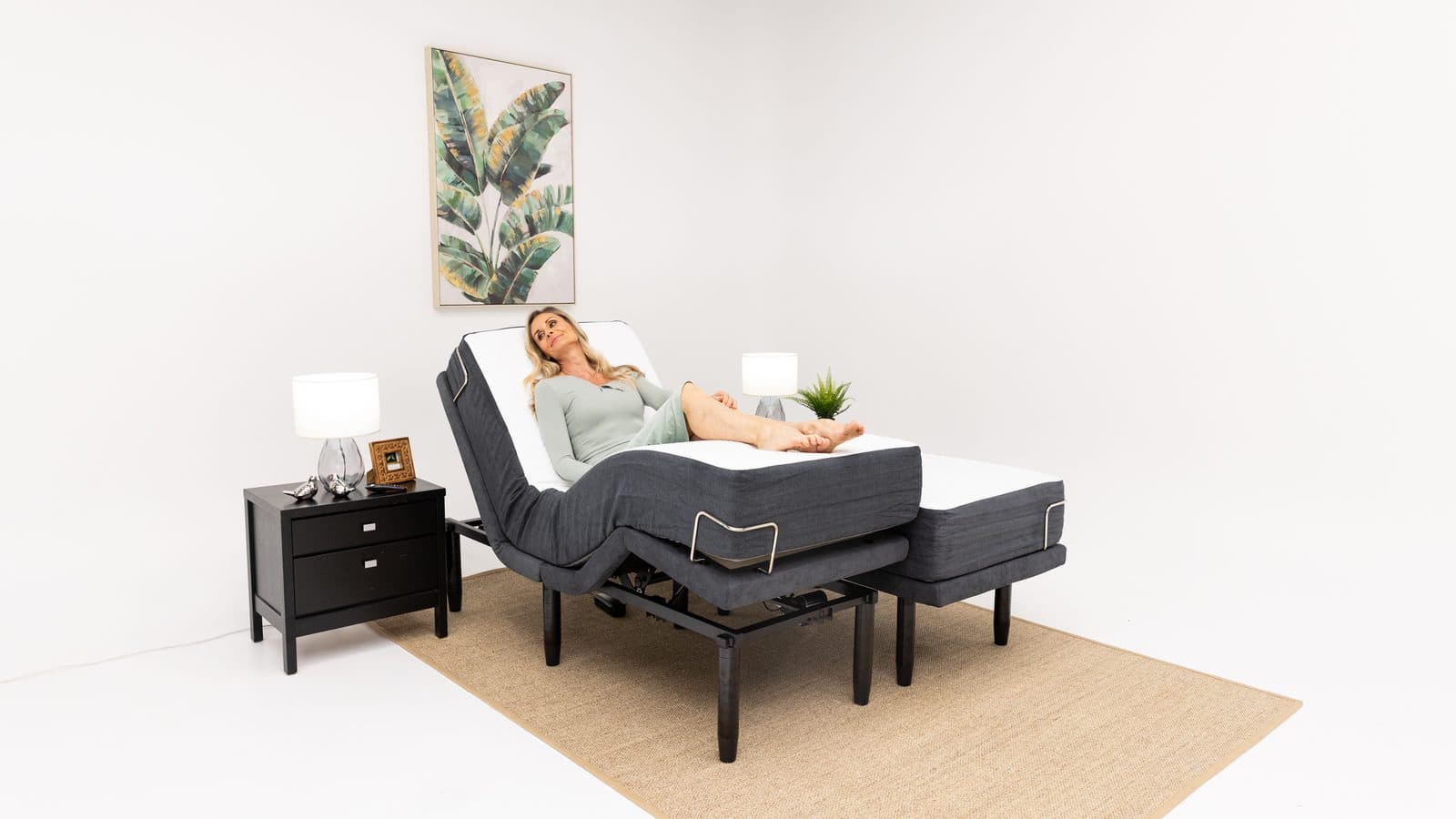
Take a look at the scene below – a modern bedroom featuring the bed in a relaxed position, with the app open on the nightstand.
Bottom line: an adjustable bed with smartphone app Australia turns a piece of furniture into a responsive health aid. Whether you’re easing chronic back pain, supporting an NDIS therapy plan, or simply want to lower the bed for a safer night‑time bathroom trip, the app puts control at your fingertips.
Ready to give it a try? Start by exploring the demo on a retailer’s website, play with the preset modes, and notice how a few seconds of control can change the way you wake up.
Key Features to Look for When Choosing a Smart Adjustable Bed
Ever felt that lingering ache after you finally get up and stretch? You know that moment when you’re half‑asleep, fumbling for a remote that never seems to work? That frustration is exactly why we spend a lot of time thinking about the nuts‑and‑bolts that actually make an adjustable bed with smartphone app Australia worth the investment.
What we’ve seen work best is a bed that doesn’t just move, but moves intelligently – quietly, safely, and exactly how you need it. Below are the features you should be hunting for, plus a few real‑world tips to help you test each one before you click “Buy”.
Motor strength and whisper‑quiet operation
The motor is the heart of the system. Look for a dual‑motor design that can lift both head and foot sections independently, with a torque rating of at least 300 Nm. Strong motors mean you can raise the head 45° or lower the foot 30° without the bed straining – crucial for anyone with chronic back pain who needs precise angles.
Quietness matters too. A noisy motor will yank you awake at 2 am. In our experience, beds that advertise “silent glide” usually stay under 40 dB, which is about the sound of a soft whisper. If possible, ask the retailer for a demo and listen while the bed moves through a full range.
Smartphone app depth and customisation
Not all apps are created equal. A good app should let you:
- Save multiple presets (reading, TV, leg‑up, sleep).
- Set timers that automatically return the bed to a neutral position.
- View a history log so you can compare which angles felt best after a night’s sleep.
- Sync with wearables or smart‑home assistants for hands‑free adjustments.
For example, pairing a bed’s app with a Fitbit can mean that when the tracker detects REM sleep, the app lowers the head 10° to improve airway alignment – a simple way to wake up feeling “refreshed, not groggy”.
Integrated lumbar support and massage
If you’ve ever tried to prop a pillow behind your lower back, you know how fiddly that can be. Look for built‑in lumbar tilt or massage modules that can be activated from the app. A 5° lumbar lift can relieve pressure on the sacrum for seniors with hip arthritis, while a gentle 2‑minute massage can ease tension after a long day.
Practical tip: When testing a bed, set the lumbar tilt to its maximum and sit for a minute. If you feel a smooth, supportive curve rather than a hard bump, you’ve found a well‑engineered system.
Weight capacity and frame durability
Most adjustable bases are rated for 250 kg, but if you share the bed with a partner who likes to curl up with a heavy duvet, you might want a higher limit. A reinforced steel frame with cross‑bracing will keep the joints from wobbling over time.
Ask the manufacturer for the warranty details on the frame and motor – a multi-year limited warranty is a solid benchmark for long‑term peace of mind.
Connectivity options and future‑proofing
Bluetooth is great for quick pairing, but Wi‑Fi lets the bed receive OTA firmware updates, add new features, and integrate with Alexa or Google Home. If you’re a tech‑savvy millennial, you’ll appreciate a system that can grow with your smart‑home ecosystem.
For a broader view of how smart beds fit into an integrated wellness setup, check out the industry leader Ergomotion, which talks about “integrated wellness solutions” that connect with modern consumers here.
Now, let’s see the features in action. Below is a quick video that walks through an app demo, showing how you can switch presets, set timers, and monitor angle history – all without leaving the comfort of your pillow.
After watching, try this simple checklist before you finalise a purchase:
- Confirm dual‑motor strength and noise level under 40 dB.
- Test the app: create at least three presets and use the timer function.
- Check for lumbar tilt or massage and feel the support in person.
- Verify weight capacity exceeds your combined needs.
- Ensure Wi‑Fi connectivity for future updates.
By ticking off each item, you’ll feel confident that the bed you choose isn’t just a fancy piece of furniture, but a therapeutic ally that adapts to your life – whether you’re managing chronic pain, supporting an NDIS plan, or simply craving that perfect recline for a Netflix binge.
Setting Up and Connecting Your Bed to the Smartphone App
Alright, you’ve just unboxed your new adjustable bed and you’re staring at a sleek base, a remote that looks like it belongs in a spaceship, and a blinking icon on your phone. First reaction? Maybe a little excitement mixed with “where do I even start?”.
Don’t worry – we’ve all been there. The good news is that the setup is basically a three‑step dance: power, pair, personalise. Let’s break each move down so you can glide from box to bedtime without a misstep.
Step 1 – Power up the hardware
Plug the base into a dedicated 240 V outlet (avoid surge‑protected strips – the bed draws a decent amount of current). Most models have a small LED that turns green once the internal controller is alive. If you hear a faint hum, that’s the motor waking up – a good sign.
Next, make sure the Wi‑Fi antenna (usually a tiny bar on the side) is facing upward. A clear line‑of‑sight to your router improves Bluetooth‑to‑Wi‑Fi handoff, which many beds use for remote updates.
Step 2 – Pair the app
Open the app you downloaded from the App Store or Google Play – it should be pre‑named something like “Sleep Sophie Control”. If you can’t find it, search “Sleep Sophie” and look for the official icon.
When you launch the app, you’ll see a “Add New Bed” button. Tap it, and the app will start scanning for nearby devices. Here’s a tip: keep the remote close to the base during this moment; the Bluetooth signal is strongest when the two are within a foot of each other.
Once the bed appears in the list, select it. You’ll be asked to confirm a four‑digit code that flashes on the bedside panel. Type it in, and you should see a green checkmark – you’re now linked.
If the connection fails, try turning Wi‑Fi off on your phone, then back on, and repeat the scan. Most hiccups are just a momentary interference from other smart gadgets.
Step 3 – Personalise your presets
This is where the magic really kicks in. Open the “Presets” tab and start creating names that mean something to you – “Morning Stretch”, “Reading Recline”, “Night‑Down”. Set the head and foot angles, add any lumbar tilt, and hit “Save”. The app will store those values locally and in the cloud, so they travel with you if you ever replace the phone.
For chronic‑pain folks, try a 10° head‑up plus 5° lumbar lift for a gentle spine stretch. If you’re a senior who needs a low‑step entry, create a “Low‑Step” preset that lowers the foot section by 15 cm. Test each preset for a few minutes, then adjust in five‑degree increments until it feels just right.
Don’t forget the timer feature. Set a 30‑minute limit on any high‑angle position; the bed will automatically return to a neutral flat state, protecting circulation and preventing muscle fatigue.
Quick checklist before you call it a day
- Bed powers on and LED glows green.
- App detects the bed and confirms the 4‑digit code.
- At least two presets are saved and tested.
- Timer is active on any elevated position.
- Wi‑Fi connection is stable for OTA firmware updates.
If you’ve checked all the boxes, you’re good to go.
Need a deeper dive on preset strategies? Our detailed guide on Adjustable Beds in Adelaide | Sleep Sophie walks through real‑world scenarios and shows how different households fine‑tune their positions for reading, TV, or therapy.
That’s it – a few minutes of setup, and you’ve turned a piece of furniture into a responsive health ally. Remember, the app is just a tool; the real benefit comes from the tiny adjustments you make throughout the day. So go ahead, tap that “Save” button, and enjoy the smooth glide of technology meeting comfort.
Top Australian Brands and Models Offering Smart Adjustable Beds
When it comes to finding an adjustable bed with smartphone app Australia, the market isn’t just a sea of generic options – there are a few home‑grown brands that have really stepped up the game. Below is our quick‑look list of the brands that consistently deliver the kind of seamless app control, motor strength, and therapeutic features that matter to anyone dealing with chronic pain, NDIS needs, or senior mobility challenges.
Sleep Sophie adjustable beds
Our own Sophie Adjustable Bed offers app control alongside its wireless remote, lifting the head and foot sections independently with quiet motors. (The Sophie HiLo uses its wireless remote rather than an app.) Every Sophie bed also includes USB ports and battery backup as standard.
Imagine you’ve just finished a long day of physiotherapy. You tap “Recovery” on the phone, the head rises 20°, the lumbar lifts 5°, and the foot drops slightly to improve circulation. In our experience, that combo feels like a gentle stretch you’d do on a mat, but you stay comfortably in bed.
Ergomotion – ErgoFlex Pro
Ergomotion’s ErgoFlex Pro is another Aussie‑made contender that couples a whisper‑quiet motor with a robust Wi‑Fi module. The companion app is a bit more data‑heavy – you can see angle history, battery health, and even a simple sleep‑stage overlay if you pair it with a compatible tracker. The brand markets a “Wellness Suite” that bundles a 10‑minute massage pad and an optional foot‑warming module.
For NDIS participants, the ability to set a “Therapy” preset that automatically runs a low‑intensity massage after the bed reaches a 30° head‑up position can be a real game‑changer. The system also supports voice‑assistant commands via Alexa, which is handy when you’re already lying down.
LuxeRest – LuxeSmart Base
LuxeRest focuses on premium finishes and a sleek, minimalist aesthetic. Under the hood, the LuxeSmart Base offers a 400 Nm motor pair, which means you can lift the foot section up to 30 cm without any strain on the mechanism. Their app includes a “Family Mode” where each user can create a profile, so a household with both seniors and younger adults won’t have to keep re‑programming presets.
One practical tip we’ve seen work: set a “Night‑Down” preset that lowers the foot by 15 cm and the head to flat 5 minutes before bedtime. The gradual decline helps the body transition into a neutral spine position, which many seniors report as reducing nighttime trips to the bathroom.
ComfortWave – WaveSync
ComfortWave’s WaveSync model leans heavily into integration with existing smart‑home ecosystems. The app can trigger Philips Hue lights, adjust room temperature via Nest, and even send a gentle reminder to your phone if you’ve been in an elevated position for too long. The base itself is rated for 280 kg, so it’s a solid choice for heavier couples.
If you’re managing chronic lower‑back pain, the WaveSync’s “Stretch” preset combines a 15° head‑up angle with a subtle 3° lumbar tilt – a combo that mimics the classic “kneeling” stretch many physiotherapists recommend.
Restful Nights – RN SmartBase
Restful Nights is a newer player but has quickly earned a reputation for customer‑centric design. Their RN SmartBase comes with a detachable USB charging dock on the side rail, so you never have to hunt for a plug while you’re adjusting. The app’s “Quick Tilt” button lets you raise the head by 10° with a single tap – perfect for those moments when you just need a little lift to read without sitting up.
What’s worth noting for caregivers is the “Assist” mode that locks the bed in a low‑step position for safe transfers. The feature can be enabled via the app or a simple button on the remote, removing the guesswork during rushed mornings.
So, which brand feels like the right fit for you? Think about the features you can’t live without – quiet motors, built‑in lumbar support, smart‑home connectivity, or a robust preset system – and match them to the models above. Remember, the best smart bed is the one that lets you focus on comfort, not on fiddling with settings.
Comparing Pricing, Warranty, and Support Options
When you start weighing an adjustable bed with smartphone app Australia against your budget, the numbers can feel a bit fuzzy. One brand might shout “low price” while another whispers “long warranty.” The trick is to line up the three things that really matter: upfront cost, how long the maker stands behind the motor and electronics, and the kind of help you get when something goes sideways.
Why price alone can be misleading
Imagine you pick a bed at the bottom of the market because it looks cheap. Two months later the motor starts humming louder than a dishwasher, and the warranty only covers 12 months. You end up paying for a repair or a replacement. In contrast, a dearer model that includes a multi-year motor warranty might save you money in the long run.
That’s why we like to compare three real‑world options side‑by‑side. Below is a snapshot of what to look for.
| Brand / Model | Price Range (AU$) | Warranty | Support Options |
|---|---|---|---|
| Sleep Sophie adjustable bed | Contact for pricing | 5‑year comprehensive warranty (extendable to 10 years) | Phone (1300 975 337), email |
Warranty length and depth of support matter as much as price. Sleep Sophie backs its beds with a 5‑year comprehensive warranty, extendable to 10 years and Australian‑based phone support.
Actionable steps to compare yourself
1. Write down your budget ceiling. Then add a 10‑percent cushion for accessories (USB charging docks, extra lumbar pads).
2. Check the warranty fine print. Does it cover the motor only, or the whole frame? Is there a prorated portion after the first year?
3. Test the support channel. Call the number listed on the website and ask a simple question like “What’s the turnaround time for a motor fault?” A helpful rep who answers promptly is a good sign you won’t be left hanging.
4. Map out the total cost of ownership. Take the base price, add the expected repair cost after the warranty expires (a motor repair is modest against the price of the bed), and compare that to the higher‑priced model with a longer warranty.
What to look for in the fine print
• Motor torque rating. A stronger motor (300 Nm or more) usually lasts longer under frequent adjustments.
• Replacement parts policy. Some brands sell parts at full price; others offer a 50‑percent discount for warranty‑eligible customers.
• Software updates. A Wi‑Fi‑enabled bed that receives OTA updates can extend the life of the app and add new features without a new hardware purchase.
Bottom line: don’t let the headline price dictate your choice. Look at the warranty horizon, the support ecosystem, and the hidden costs of ownership. By doing the math and testing the support experience before you buy, you’ll end up with a bed that not only adjusts your sleep but also adjusts to your budget over the years.
Maintenance Tips and Common Troubleshooting Scenarios
Alright, you’ve got your adjustable bed humming along and the app doing its thing. But even the smartest bed needs a little TLC now and then – otherwise you risk that dreaded wobble or a phantom error message that leaves you staring at the screen.
Regular upkeep keeps the glide smooth
Think of your bed like a car. A quick visual check each week can spot dust, loose screws, or a stray toy that might jam the motor.
- Wipe the frame with a soft, damp cloth. Avoid harsh chemicals; a mild soap solution is plenty.
- Inspect the moving joints for any grit. A tiny brush or a can of compressed air works wonders.
- Turn the head and foot sections through their full range once a month. You’ll hear if anything feels sticky or unusually loud.
Doing this takes less than five minutes, and you’ll hear the quiet sigh of the motor that tells you everything’s still in good shape.
Battery and power care (if your model has a remote)
Some of our customers love the handy Bluetooth remote, but the tiny battery can surprise you if you forget to replace it.
When the indicator starts flashing amber, swap the coin cell – usually a CR2032 – for a fresh one. If you notice the bed hesitating after you press a button, it could be a low‑battery issue, not a motor problem.
And always plug the base directly into a dedicated 240 V outlet. Power strips can introduce interference that makes the app think the bed has lost connection.
App connectivity checks
One of the most common headaches is the app saying “device not found.” Before you panic, try these quick steps:
- Make sure your phone’s Wi‑Fi is on and you’re on the same network as the bed.
- Toggle Bluetooth off and on – the bed often uses a Bluetooth‑to‑Wi‑Fi handoff.
- Restart the app. A fresh launch clears any cached error codes.
If the problem persists, reboot the base. Unplug it, wait ten seconds, then plug it back in. The controller does a quick self‑check and usually comes back online within a minute.
Common issues and quick fixes
Here are a few scenarios we see time and again, plus the simplest fix you can try before calling anyone.
- Motor hum but no movement. Check that the safety lock on the side rail isn’t engaged – some models won’t move if the lock is down.
- One side stops at a certain angle. Look for an obstruction under the mattress or a misaligned rail. Gently realign and test again.
- App shows wrong angle. Calibrate the sensor from the settings menu. It’s a one‑click “reset to zero” that re‑centres the position data.
- Unexpected noise after a few weeks. Dust can settle in the motor housing. Use compressed air to blow out any debris, then run the bed through its full range a couple of times.
If you’ve run through these steps and the bed still misbehaves, note the error code (usually a three‑digit number) – it’s the shortcut the support team needs.
When to call support
We love DIY fixes, but some things are best left to the pros. Reach out if you see any of the following:
- The bed won’t power on at all, even after checking the outlet.
- Repeated motor stalls despite clearing obstructions.
- Software updates fail three times in a row.
- Any physical damage to the frame or rails.
Our support crew can run remote diagnostics, and if a part needs swapping, most manufacturers offer a discounted rate for warranty‑eligible customers.
Bottom line: a little routine care and a few simple troubleshooting steps keep your adjustable bed with smartphone app Australia performing like new. You’ll spend less time fiddling with buttons and more time enjoying that perfect recline – whether you’re easing chronic pain, helping a senior get out of bed safely, or just binge‑watching your favourite series.
Conclusion
If you’ve made it this far, you probably feel a mix of curiosity and confidence about the adjustable bed with smartphone app Australia market.
We’ve walked through why motor strength matters, how the app can become a daily health ally, and the little maintenance habits that keep things humming. And you’ve seen real‑world scenarios—from seniors needing a low‑step exit to NDIS participants fine‑tuning lumbar support.
So, what’s the next step? Start by mapping the positions you use most, then create a simple preset in the app and give it a test run for a night. If something feels off, tweak the angle in five‑degree increments – the beauty of the app is that you can experiment without getting out of bed.
Remember, a well‑chosen bed isn’t just a piece of furniture; it’s a tool that can ease chronic pain, support independence, and even improve sleep quality when you let the technology work for you.
When you’re ready, browse Sleep Sophie’s collection to find a model that checks the boxes you care about most. A quick chat with our team can clear up any lingering doubts and help you set up those first presets.
Enjoy the freedom of a personalised recline, and let every evening end with the perfect lift, tilt, or lay‑flat you’ve programmed yourself.
FAQ
What exactly is an adjustable bed with smartphone app Australia?
In plain terms, it’s a motor‑driven bed that lets you raise or lower the head, foot, or lumbar sections from your phone. The app talks to the base over Bluetooth or Wi‑Fi, so you can save presets, set timers, and even sync with wearables without ever leaving the mattress. It’s basically a remote‑control for comfort that fits in the palm of your hand.
How do I get the app up and running?
First, download the official Sleep Sophie app from the Apple App Store or Google Play – it’s free and pre‑configured for Australian models. Open the app, tap “Add New Bed,” and follow the on‑screen prompts to pair via Bluetooth. Once the four‑digit code on the bedside panel matches, the app will confirm the connection. From there you can name your presets, adjust angles in five‑degree steps, and hit save.
Can someone with limited hand mobility still use the app?
Absolutely. The interface is designed for quick taps, and you can enable voice‑assistant shortcuts through Alexa or Google Assistant if reaching for the phone is tricky. You can also set up “one‑touch” presets that require a single tap to move the bed to a therapeutic position. For caregivers, the app lets you control the bed from another device on the same Wi‑Fi network, so you can help without getting into the room.
Is the app compatible with both iOS and Android devices?
Yes. Sleep Sophie ships the same app binary for iOS and Android, and it automatically detects the correct protocol for your bed model. The only caveat is that older Android versions (below 8.0) may miss some OTA update features, so we recommend keeping your phone’s OS up to date. Both platforms support the same preset‑saving, timer, and sensor‑calibration functions.
What safety features stop the bed from moving unexpectedly?
The bed’s controller has a built‑in safety lock that disables motion when the side rail is engaged – a useful feature for seniors getting in and out. The app also shows a live “movement lock” toggle, so you can freeze the base while you’re reaching for the remote. Additionally, the motor shuts down automatically if it detects an obstruction or exceeds a preset torque limit, preventing strain on the mechanism.
How often should I calibrate the bed or update the app?
We suggest running a quick calibration after any firmware update – just hit “Reset to Zero” in the app’s settings and the sensors will re‑centre. As for updates, the app checks for OTA firmware patches each time you launch it, and it’s worth installing them within a week of release. Regular calibration keeps angle readings accurate, especially if you use the bed daily for therapy.
What if the app loses connection to the bed?
First, verify that your phone is still on the same Wi‑Fi network and that Bluetooth is enabled. A quick toggle of Bluetooth off and on often re‑establishes the link. If that doesn’t work, restart the base by unplugging it for ten seconds – the controller will reboot and announce it’s ready. Should the issue persist, note any error code displayed in the app and contact Sleep Sophie’s support; they can run remote diagnostics and guide you through a fix.
Compare the Sophie range with a real person
No call centres, no scripts — tell us what you need and we’ll give you straight answers on fit, delivery and funding.
1300 975 337 (1300 9 SLEEP) · Australian-based team · Explore the Sophie adjustable bed range
Rated 4.8 from 227 reviews on ProductReview.com.au · Free in-home demonstration · Interest-free options via Humm, Brighte & Payright for approved purchasers
Using NDIS or Support at Home funding?
Sleep Sophie is a registered NDIS provider (4050070896), and Sophie adjustable beds and lift recliners are ARTG-registered Class 1 medical devices (ARTG 326115). Beds can be funded through NDIS assistive-technology budgets where an occupational therapist recommends them; the Support at Home program has its own equipment pathway. We prepare quotes suitable for plan approval — see how NDIS funding works or Support at Home, or call and we’ll walk you through it.
Ask us about this bed
Free delivery and installation, Australia-wide — tell us what you’re after and we’ll get back to you with straight answers.