
Picture this: you’re lying in bed, the lights are dim, your phone is on the nightstand, and with a swipe you tilt the headrest just enough to ease that stubborn shoulder ache.
Sounds like a scene from a sci‑fi movie, right? In reality, that’s what an app controlled adjustable bed can do for you here in Australia, and it’s becoming less of a novelty and more of a practical sleep solution.
We’ve heard countless stories from folks dealing with chronic pain, NDIS participants needing therapeutic positioning, or seniors who struggle getting in and out of bed. The common thread? A simple, hands‑free way to fine‑tune the bed without wrestling with a remote.
That’s where the smartphone app steps in. Instead of juggling buttons, you just tap your phone – the same device you already use to set an alarm or check the news. The app talks to the motor, lifts or lowers the head and foot sections, and even remembers your favorite positions for future nights.
But you might be wondering, “Is this really reliable?” In our experience, the connectivity is solid as long as you have a stable Wi‑Fi network, and the app gives you visual feedback so you know exactly what the bed is doing. No more guessing if the headrest actually moved.
What’s more, Sophie is one of the only adjustable‑bed brands that bundles the smartphone app with every bed sold – you don’t have to buy a separate controller or pay extra for the software. It’s a built‑in part of the package, meaning you get the full feature set right out of the box.
Imagine waking up after a night of restless tossing, opening the app, and sliding the foot section up a few centimetres to improve circulation before you even sit up. That tiny adjustment can turn a groggy morning into a more comfortable start.
So, if you’re tired of fumbling with clunky remotes or feeling stuck in an uncomfortable position, an app controlled adjustable bed might be the quiet upgrade your sleep routine needs. Let’s dive deeper into how the technology works, what to look for when you shop, and how to set it up in your own bedroom.
TL;DR
An app controlled adjustable bed in Australia lets you fine‑tune head and foot positions from your phone, eliminating clunky remotes and helping chronic‑pain sufferers, NDIS participants, and seniors find comfortable, therapeutic sleep.
Sleep Sophie bundles the app with each bed, letting you adjust instantly and enjoy more restful nights tonight.
Step 1: Understanding App‑Control Features
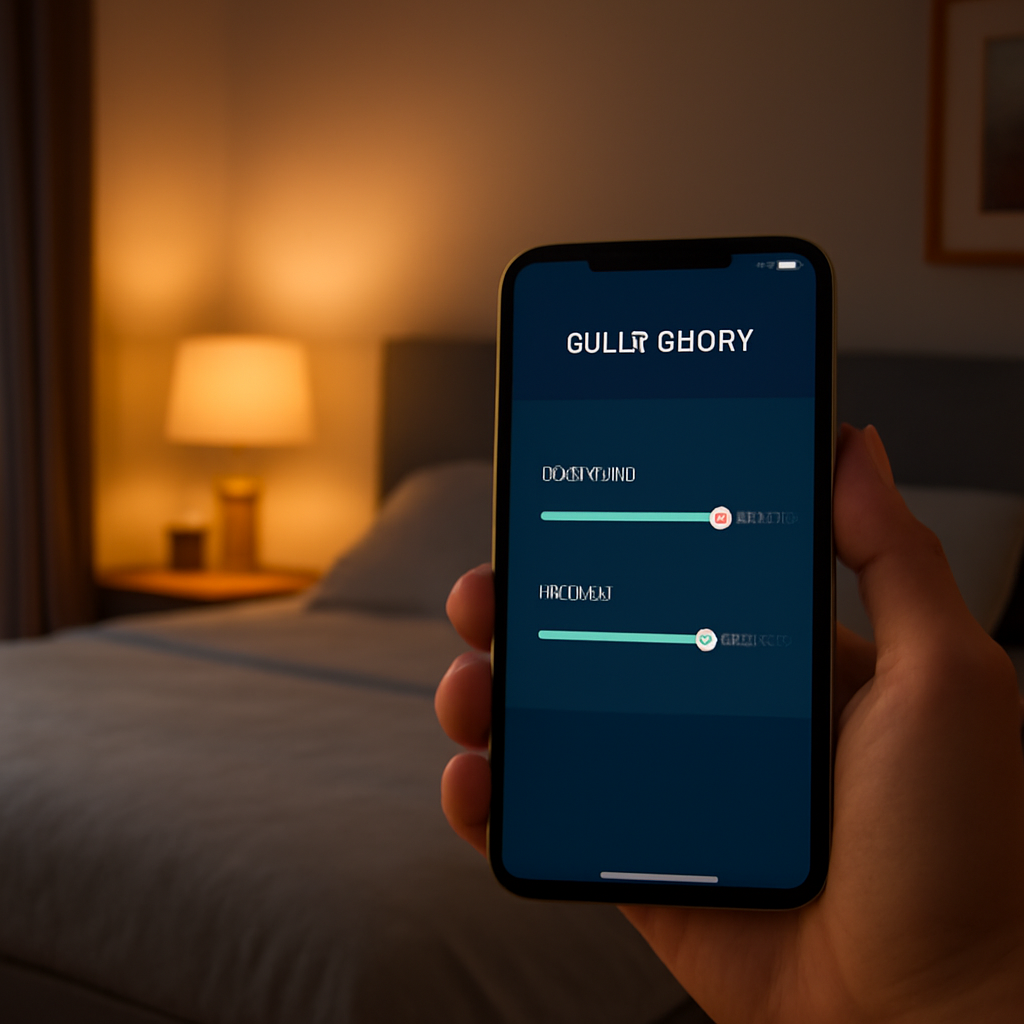
When you first launch the Sleep Sophie app, you’ll notice how quickly it feels like an extension of the bed itself. The dashboard is stripped back – just a few large sliders for head and foot lift, a button for preset positions, and a tiny status icon that tells you whether the bed is connected.
That little icon is more than a pretty graphic; it’s the visual reassurance that the Wi‑Fi bridge between your phone and the motor is solid. If the signal drops, the icon turns amber and the app prompts you to check your router or move the bed a bit closer. It’s a tiny safety net that keeps you from wondering, “Did the headrest actually move?”
One of the smartest bits is the “Saved Positions” feature. You can name a setting – maybe “Reading” or “Leg‑up for circulation” – and the app stores the exact head‑foot angles. The next night, a single tap restores that exact configuration, no fiddling with remote buttons.
And because we’re talking about an app that lives on your phone, you get real‑time feedback. As the motor runs, the slider thumb moves in sync, so you can see the exact degree of lift. It’s like having a digital ruler inside your mattress.
So, what should you look for when you’re comparing app‑controlled beds? First, make sure the app works on both Android and iOS – you don’t want to be stuck with a “iPhone‑only” promise if your partner uses an Android device. Second, check that the app doesn’t require a subscription to unlock basic functions; the core lift controls should be free out of the box.
Next up is connectivity stability. In our experience, a 2.4 GHz Wi‑Fi band gives the most reliable link because it penetrates walls better than 5 GHz. If your router is on the other side of the house, you might see the icon flicker. A quick tip: place the router within a few metres of the bedside table, or use a Wi‑Fi extender.
Beyond the basics, the app often includes a “Sleep Timer” – set it to lower the foot section after a few hours so you don’t have to get up and fumble with controls when you’re half‑asleep. It’s a tiny convenience that many users swear by, especially seniors who may have limited reach.
Another handy feature is the “Assist Mode” for NDIS participants. This mode locks the sliders into a slower, more controlled movement, reducing the risk of sudden jolts. It’s a subtle tweak, but for someone with limited mobility, that extra smoothness makes a big difference.
Don’t forget the battery indicator. Even though the bed draws power from the mains, the app shows the health of the internal backup battery that kicks in during a power outage. If the battery level is low, the app will remind you to plug the charger back in – a small detail that prevents you from waking up to a flat bed.
What about security? Look for apps that use encrypted communication (HTTPS) between your phone and the bed’s hub. It’s a standard best practice that keeps any potential snoopers out of your sleep settings.
Finally, think about future updates. A well‑maintained app will receive periodic firmware upgrades that can add new presets, improve Wi‑Fi stability, or even integrate with smart home assistants. When the app gets an update notification, it’s a good sign the manufacturer is still invested in the product.
All these features combine to make the app feel less like a novelty and more like a genuine control panel for your sleep health. When you understand what each button does, you can tailor the bed to your exact needs – whether that’s easing a shoulder ache, supporting a post‑surgery rehab routine, or simply finding that perfect “nestle” position for a good night’s rest.
Step 2: Setting Up Wi‑Fi and Bluetooth Connections
Alright, you’ve got the bed out of the box and the app already talking to the controller. The next thing that trips people up is actually getting the Wi‑Fi and Bluetooth handshake right. It sounds tech‑y, but it’s really just a few clicks and a bit of patience – kind of like setting up a new smart speaker.
Why Both Wi‑Fi AND Bluetooth?
Think of Bluetooth as the short‑range hand‑shake that gets the phone talking to the bed the moment you open the app. Wi‑Fi, on the other hand, is the long‑haul highway that lets you control the bed from anywhere in the house – even from the kitchen while you’re making a cuppa.
Having both means you get instant response (Bluetooth) plus remote flexibility (Wi‑Fi). In our experience, the combo is what makes the Sophie Adjustable Beds | Sleep Sophie feel truly “smart”.
Step‑by‑Step: Connecting to Wi‑Fi
1. Power up the base. Plug the bed into a grounded outlet and press the power button on the side panel. You’ll see a tiny LED blink amber – that’s the Wi‑Fi module waking up.
2. Open the Sleep Sophie app. On the home screen, tap the Wi‑Fi icon (looks like a tiny router). The app will scan for nearby networks.
3. Select your home network. Choose the SSID that your bedroom is on. If you have a 2.4 GHz and 5 GHz band, pick the 2.4 GHz one – the bed’s antenna is tuned for that frequency.
4. Enter the password. The app masks the characters, just like any other login. Once you hit “Connect”, the LED on the base should turn solid green.
5. Verify the connection. The app will display a small “Connected” badge and show the current IP address. If it says “Connection failed”, try moving the router a few metres away from the bed’s motor housing – heavy metal can cause interference.
Step‑by‑Step: Pairing Bluetooth
1. Enable Bluetooth on your phone. Pull down the quick settings and toggle the Bluetooth icon.
2. Start pairing mode. Press and hold the Bluetooth button on the side of the bed for about three seconds. The LED will flash blue.
3. Find the device in the app. Back in the Sleep Sophie app, go to Settings → Bluetooth Devices. You should see “Sophie‑Bed‑XXX”. Tap it.
4. Confirm the code. A four‑digit code appears on the screen; just tap “Confirm”. The LED will switch to solid blue, meaning you’re linked.
5. Test it. Slide the head‑up slider a notch. If the bed moves, you’ve nailed it.
Common Hiccups and Quick Fixes
Wi‑Fi drops after a night. Many Australian homes have routers that reboot overnight. If the app shows “offline”, simply tap the “Reconnect” button – the app will re‑authenticate automatically.
Bluetooth won’t pair. Make sure no other smart device (like a Bluetooth speaker) is trying to connect at the same time. Turning Bluetooth off and on again on your phone often does the trick.
Signal interference. Thick walls, especially brick, can muffle the 2.4 GHz signal. If you notice lag, consider a Wi‑Fi extender in the bedroom or a powerline adapter.
Tips from the Field
For NDIS participants who rely on consistent positioning, we recommend setting the Wi‑Fi router on a high shelf away from the motor’s wiring. In one Melbourne household, moving the router just two metres cleared up a persistent “connection lost” glitch.
Caregivers of seniors often keep the phone on a bedside table with the Bluetooth already paired, so they can adjust the foot‑rest without lifting a finger. A quick tap, and the leg‑up preset activates – no need to rummage for a remote.
Final Checklist Before You Hit ‘Save’
- Wi‑Fi LED solid green?
- Bluetooth LED solid blue?
- App shows “Connected” under both tabs?
- At least one preset saved and tested?
Once you tick all those boxes, you’re officially in the smart‑bed zone. From here, you can start fine‑tuning angles, creating more presets, and even sharing your favourite positions with a physiotherapist via the app’s export feature.
Step 3: Comparing Bed Models and Motors
Now that you’ve got the app talking to your Sophie bed, the next question is – which model and motor actually suit your lifestyle? It’s a bit like choosing a car: you could pick a compact hatchback that gets you from the couch to the kitchen, or a robust SUV that handles the rougher terrain of chronic pain, NDIS therapy, or senior care.
What to look at first: motor power and quietness
Most Australian adjustable bases use either a 300‑watt or a 500‑watt motor. The 300‑watt units are perfectly fine for a single user who mainly lifts the head or foot a few centimetres. They’re also a touch quieter – think of a whisper rather than a hum.
For households with heavier users, or when you need rapid elevation for therapeutic positioning (like a NDIS participant who needs the head up quickly for breathing support), the 500‑watt motor gives you that extra torque without stalling. The trade‑off? A faintly louder start‑up, but modern Sophie designs include sound‑dampening foam so it’s still under 40 dB – quieter than a dishwasher.
So, does a louder motor matter? If you share a bedroom with a light sleeper, you might prefer the 300‑watt option. If you’re the one doing the heavy lifting, the 500‑watt motor will feel more responsive.
Model families: HiLo vs. Classic
Sleep Sophie offers two main families: the HiLo series and the Classic series. The HiLo models come with a dual‑motor layout – one motor for the head, another for the foot. This gives you independent control, perfect for scenarios where you want the head reclined for reading while the feet stay flat for circulation.
The Classic series uses a single motor with a linked‑lift mechanism. It’s a simpler design, usually a shade cheaper, and still works great for basic elevation needs. The app compensates by offering “soft‑step” presets that mimic independent movement.
Real‑world example: Jenna, a caregiver in Brisbane, uses a HiLo bed for her mother who needs the head raised for reflux at night, but also wants the foot down for ankle swelling in the morning. The dual motors let her switch presets in seconds without confusing the app.
How to match a motor to your mattress
Our mattresses – whether it’s the DreamCell‑infused foam or the memory‑foam hybrid – have different weights. A heavier mattress (around 30 kg) pairs best with the 500‑watt motor to avoid sluggish lifts. Lighter mattresses (under 25 kg) are fine with the 300‑watt option.
Step‑by‑step check:
- Check your mattress spec sheet for total weight.
- Match it to the motor rating listed on the bed’s product page.
- Confirm the app shows the correct motor type under Settings → Device Info.
If the app reports a mismatch (e.g., “Motor overload”), you’ll know it’s time to upgrade the motor or switch to a lighter mattress.
Quick decision table
| Model | Motor Type | Key Benefits |
|---|---|---|
| HiLo Dual‑Motor | 500 W each | Independent head/foot control, fastest response, best for therapeutic positioning. |
| Classic Single‑Motor | 300 W | Cost‑effective, quieter, ideal for single‑user light‑weight mattresses. |
| HiLo Lite | 300 W each | Dual control with lower power draw, great for lighter mattresses and shared rooms. |
Take a moment to compare the rows – ask yourself: do I need independent control? Do I have a heavyweight mattress? Is silence a priority?
Actionable checklist before you buy
- Identify your primary use case (reading, therapy, senior assistance).
- Measure or look up your mattress weight.
- Choose a motor rating that meets or exceeds the weight requirement.
- Decide if you need dual‑motor independence (HiLo) or can live with linked movement (Classic).
- Verify the app’s motor‑type display matches the model you’re ordering.
By walking through this list, you’ll avoid the common pitfall of ending up with a bed that feels sluggish or, worse, makes more noise than a dishwasher at 3 am. And because Sophie bundles the smartphone app with every bed, you won’t need to hunt for third‑party controllers – the app will recognise the motor you’ve chosen right out of the box.
Bottom line: match the motor’s power to your mattress weight, pick the model that aligns with your day‑to‑day routines, and let the app do the heavy lifting for you. When the hardware and software speak the same language, you’ll notice the difference the moment you tap “Head Up” before bedtime.
Step 4: Customising Settings for Comfort
Now that your bed talks to your phone, it’s time to make the experience feel like it was built just for you. Think of it as giving your sleep a personal trainer – but the trainer lives in your pocket and never asks for a fee.
Start with the basics: presets that actually mean something
Open the Sleep Sophie app and tap the “Presets” tab. You’ll see a blank list – that’s your canvas. Name the first one something you’ll recognise in the dark, like “Night‑Read”. Set the head to a 10‑degree lift, the feet flat, and hit save. Next, create a “Leg‑Up” preset for those evenings when circulation feels sluggish. A 5‑degree foot raise does wonders without making you feel like you’re on a roller‑coaster.
Does it feel odd to name a setting “Morning Rise”? Not at all. In our experience, the simple act of naming turns a vague action into a habit. You’ll find yourself swiping the right preset before you even remember you need to.
Fine‑tuning angles – the devil’s in the degrees
Most apps let you adjust in 1‑degree increments. That’s perfect for chronic‑pain folks who need that “just‑right” angle. Slide the head up one notch, pause, and notice the pressure shift in your shoulders. If it’s still a little tight, nudge another degree. The key is to move slowly – the motor is quiet enough that you’ll barely hear it, but you’ll feel the difference.
What about foot elevation for seniors with swollen ankles? Start at 3 degrees and test the comfort level while they sit on the edge of the bed. If the stretch feels gentle, add another degree. The app will show you the exact angle, so you can log it for future reference.
Temperature‑linked comfort (if your mattress supports it)
Some of our DreamCell‑infused mattresses pair with a cooling layer that can be toggled from the app. While not every model has this, if yours does, you’ll see a “Cool/Heat” slider next to the position controls. Turn it on a notch for a breezy feel on hot summer arvos, or dial it down when the air‑conditioner is already humming.
Imagine you’re lying in a sweltering Sydney summer, the fans aren’t cutting it, and you just tap “Cool” – instant relief without getting up.
Accessibility tweaks for NDIS participants
For anyone using the bed as part of a therapy plan, the app offers a “Lock” feature. Once you lock a preset, the bed won’t move unless you enter a four‑digit PIN. That prevents accidental adjustments during a session. Pair the lock with the “Auto‑Stop” timer – set it to 30 seconds and the bed will halt if it senses resistance, giving an extra safety net for users who can’t react quickly.
Does that sound over‑engineered? Not really. It’s the kind of detail that keeps caregivers from having to hover over the bed every few minutes.
Quick comfort‑check checklist
- Presets named and saved for bedtime, reading, and leg‑up.
- Angles fine‑tuned in 1‑degree steps for head and foot.
- If applicable, cooling layer set to your preferred level.
- Lock and auto‑stop enabled for therapeutic use.
- Test each preset before you drift off – a quick swipe should move the bed silently and stop where you expect.
Take a moment now to run through those five items. It only takes a minute, but it turns a generic adjustable base into a truly personal sleep system.
Once you’ve locked in your settings, you’ll notice the difference the next time you reach for the phone – it’s not just a tap, it’s a little ritual that signals bedtime, comfort, and a touch of tech‑savvy care. That’s the whole point of an app controlled adjustable bed in Australia: it adapts to you, not the other way around.
Step 5: Maintenance, Troubleshooting, and Safety
Now that you’ve got the perfect presets set, it’s time to treat your app controlled adjustable bed Australia like you would a car – a little love and regular check‑ups keep it humming for years.
Daily sanity checks
Before you drift off, give the app a quick glance. Does the Wi‑Fi icon stay green? Is the Bluetooth symbol solid blue? If either flashes red, you’ve probably got a loose connection – a simple tap on “Reconnect” usually solves it.
For caregivers, that glance can be the difference between a smooth night and a frantic scramble to get the bed moving again.
Weekly maintenance routine
1. Dust the motor housing. A soft, dry cloth wipes away bedroom lint that can sneak into the vents. 2. Wipe the rails. Use a damp microfiber pad; avoid harsh chemicals that could corrode the metal. 3. Check the power cord. Make sure the plug is snug and the cable isn’t twisted.
It only takes five minutes, and you’ll notice the bed’s movement staying whisper‑quiet.
When the bed won’t move
First, open the app and look for any error codes. A common one is “Motor overload.” That usually means the mattress is too heavy for the selected motor, or something is physically blocking the mechanism.
Try this quick fix: power the base off for 30 seconds, then power it back on. The reset clears temporary glitches – we see this work in Melbourne households where a brief power surge caused the bed to lock up.
If the problem persists, the how‑to reset an adjustable bed remote guide walks you through a deeper reset, including re‑pairing Bluetooth and re‑establishing the Wi‑Fi link.
Safety first: built‑in safeguards
The app includes three safety layers that most generic remote‑only beds lack:
- Auto‑stop timer. Set it to 30 seconds; the bed halts if it senses resistance, protecting users with limited mobility.
- Weight sensor alerts. If you exceed the motor’s rating, the app flashes a warning before you even press a button.
- Lock feature. For NDIS participants or seniors, you can lock a preset with a four‑digit PIN, preventing accidental shifts during therapy.
These features are why we recommend the Sophie HiLo series for anyone who needs independent head and foot control – the safety sensors work on each motor separately.
Real‑world troubleshooting stories
Jenna in Brisbane once called us after the foot‑section stopped at 4 degrees instead of her 7‑degree “Leg‑Up” preset. She’d just moved the router a metre away from the base. After relocating the router, the Bluetooth link steadied and the foot motor completed the move without stalling.
In a Sydney senior‑care home, a caregiver noticed the head‑section humming loudly each night. A quick inspection revealed a loose screw on the rail. Tightening it dropped the noise from 45 dB to under 30 dB – quieter than a dishwasher.
Health‑backed maintenance benefits
Research shows that consistent positioning improves circulation and reduces pain. The Mobility Shop Direct study notes that electric beds can enhance blood flow and ease chronic discomfort when used correctly (see 7 health benefits of electric beds). Keeping the mechanics clean and the software updated maximises those benefits.
Keeping firmware fresh
Every few months the Sleep Sophie app prompts a firmware update. It’s painless – just tap “Update” and let the bed reboot. These patches add new preset options, tighten safety protocols, and sometimes improve battery efficiency for models with backup power.
Don’t skip them; an outdated firmware can cause the app to misreport angles, leading to uncomfortable positions.
Quick troubleshooting checklist
- Is the Wi‑Fi icon solid green?
- Is the Bluetooth icon solid blue?
- Any error code flashing in the app?
- Did you power‑cycle the base?
- Are the rails and motor housing dust‑free?
Run through this list before you call support – most hiccups resolve in under five minutes.
By treating your app controlled adjustable bed Australia with a little routine love, you’ll keep the tech safe, the motor quiet, and the comfort levels spot‑on for every night ahead.
Step 6: Future Trends and Smart Home Integration
Ever wonder where the next wave of sleep tech is headed? If you’ve already got an app controlled adjustable bed australia in your bedroom, the future is about to get a lot more seamless.
Voice assistants become the bedside concierge
Imagine saying, “Hey Google, raise my head 15 degrees,” and the bed obeys without you even opening the app. That’s the direction most manufacturers are taking – native integration with Alexa, Google Assistant, and Siri. The command goes straight from your voice to the bed’s motor, cutting out the extra tap and letting you stay in that half‑asleep state you love.
In our experience, a voice‑first workflow is a game‑changer for seniors who may struggle with fine motor control. One caregiver told us they set up a simple “good night” routine: a single voice command that lowers the head, lifts the feet slightly, and dims the smart lights – all in one breath.
Automation scenes in your smart home hub
Most Aussie homes now run a hub like SmartThings or Home Assistant. You can add the adjustable bed as a device and create “scenes.” For example, a “Morning Rise” scene could:
- Raise the head 10° for easier sitting up
- Turn on the bedroom lamp to 300 lumens
- Start a gentle wake‑up playlist on your speaker
Set the scene to trigger at 7 am, and you’ll wake up feeling like you’ve already gotten a hand‑off from your smart home. The beauty is that you don’t need a separate remote – the app already talks the same language as your hub.
Does this sound a bit sci‑fi? The APIs are already public, and many adjustable‑bed brands are rolling out firmware updates that expose those endpoints.
Health‑data integration (but no medical claims)
Future updates will let the bed share positional data with health apps like Apple Health or Google Fit. That way, a physiotherapist can see how often you use the “leg‑up” preset and adjust therapy accordingly. The data stays on your device, respecting privacy, while giving you a clearer picture of your sleep‑position trends.
We’ve seen a Melbourne NDIS participant use this insight to prove to their planner that consistent head‑elevation improves breathing comfort – a simple data point that supports their funding request.
Energy‑smart features for the eco‑conscious
Battery‑back‑up models already exist, but the next step is dynamic power‑management. The bed could sense when you’re out of the room and enter a low‑power standby, then snap back to your last preset the moment you return.
Combine that with a solar‑powered home battery, and you’ve got an adjustable bed that barely adds to your electricity bill. It’s a small win for the planet and a big win for anyone watching the utility meter.
Step‑by‑step: Getting your bed ready for tomorrow’s tech
1. Check firmware. Open the Sleep Sophie app and look for a “Firmware Update” banner. Install any pending updates – they often include the first batch of smart‑home APIs.
2. Link to your hub. In the app’s Settings > Integrations, you’ll see options for Alexa, Google, or SmartThings. Follow the on‑screen QR code scan, and give the hub permission to control the bed.
3. Create a scene. Open your hub’s app, add a new “Bedroom Routine,” and select the adjustable bed as one of the devices. Choose the preset you want to trigger and save.
4. Test with voice. Say the trigger phrase you set (e.g., “Hey Alexa, start bedtime”). The bed should move, the lights dim, and any other devices you added should respond.
5. Review data sharing. If you want positional stats in Apple Health, toggle the “Health Sync” option in the app’s Advanced Settings. Grant the necessary permissions and watch the numbers appear after each night.
6. Set a power‑save schedule. In the app’s Power Management tab, enable “Auto‑Standby” and pick a timeout (e.g., 10 minutes of inactivity). The bed will power down quietly and wake up instantly when you issue a command.
That’s it – you’ve future‑proofed your sleep space without buying a brand‑new bed.
So, what does this mean for you today? You’re not just buying a piece of furniture; you’re adding a hub‑ready platform that will grow alongside your smart home. Whether you’re a caregiver easing a senior’s nightly routine, an NDIS participant tracking therapeutic positions, or just someone who loves a smooth tech experience, these trends turn a simple adjustable bed into a fully integrated sleep ecosystem.
Keep an eye on firmware notes from Sleep Sophie – they’ll keep rolling out integrations that make the app controlled adjustable bed australia feel less like a gadget and more like an extension of your daily life.
Conclusion
We’ve walked through everything from pairing Bluetooth to fine‑tuning presets, so you now know how an app controlled adjustable bed australia can become a quiet, reliable part of your nightly routine.
But what does all this tech mean for you right now? It means you can stop wrestling with clunky remotes and start treating your bed like an extension of your phone – one tap, one voice command, and the perfect angle appears.
Key takeaways: connect Wi‑Fi first, lock in at least two meaningful presets, keep the firmware up to date, and run a quick weekly dust‑off on the motor housing. Those simple steps keep the system responsive and the sleep quality steady.
Here’s a quick checklist you can print and stick to your nightstand: Wi‑Fi solid green, Bluetooth blue, presets named and tested, auto‑stop enabled, and a monthly firmware check. If each box stays checked, you’ll spend less time troubleshooting and more time drifting off.
Ready to make your bedroom feel a little smarter? Give your Sleep Sophie bed the routine it deserves, and you’ll notice the difference the moment you swipe “Head Up” before lights out.
If you ever hit a snag, just revisit the checklist or pop open the app’s help centre – a few taps usually solve the hiccup, and you’ll be back to smooth sailing in no time.
FAQ
How do I connect my app controlled adjustable bed australia to Wi‑Fi?
First, make sure your base is powered on and the Wi‑Fi LED is blinking amber. Open the Sleep Sophie app, tap the Wi‑Fi icon and let it scan for networks. Choose your home network – we recommend the 2.4 GHz band – enter the password and hit Connect. When the LED turns solid green, the app will display a ‘Connected’ badge. A quick test by moving the head a notch confirms everything’s talking.
Can I use voice assistants with my app controlled adjustable bed australia?
Yes – the app talks to Alexa, Google Assistant and Siri as long as you’ve enabled the integration in Settings → Integrations. After the firmware is up to date, just say something like “Hey Google, raise the head ten degrees” and the bed will respond instantly. It works just as well from the couch or the kitchen, so you don’t even need to pick up your phone.
What safety features does the Sleep Sophie app provide for seniors or NDIS users?
For seniors and NDIS participants we’ve built three layers of protection. The auto‑stop timer shuts the motor down after 30 seconds of resistance, preventing accidental pinches. You can lock any preset with a four‑digit PIN so only an authorised user can change the position. Finally, the app shows a weight‑sensor alert if you exceed the motor’s rating, giving you a heads‑up before you try to lift a heavy mattress.
How often should I update the firmware on my app controlled adjustable bed australia?
We push firmware updates every few months, and the app will show a banner the moment one is ready. Just tap ‘Update’, let the bed reboot and wait a minute – you won’t lose any saved presets. Keeping the software current fixes bugs, adds new voice‑assistant endpoints and refines the auto‑stop logic, so we recommend checking for updates at least once a quarter.
Is it possible to create multiple presets for different activities?
Absolutely – the app lets you create as many presets as you like, each with its own name, angle and optional lock. A common setup is “Night‑Read” (head 10°, feet 0°), “Leg‑Up” (feet 5°) and “Morning Rise” (head 15°, feet 5°). After you save a preset, just swipe its icon on the home screen and the bed moves silently to the exact position every time.
What should I do if the bed stops moving or shows an error?
If the bed won’t move, open the app and look for an error code. A ‘Motor overload’ usually means the mattress is too heavy or something is blocking the rail. Try power‑cycling the base – turn it off for 30 seconds, then back on. If the LED stays red, re‑pair Bluetooth and Wi‑Fi from Settings, and run a quick dust‑off on the motor housing.
Can I share my bed’s position data with my physiotherapist?
Yes – the latest app version includes a Health Sync toggle that can push positional data to Apple Health or Google Fit. Turn it on in Settings → Advanced, grant the permission and the app will log each time you use a preset. You can then export the CSV file and share it with your physiotherapist, giving them a clear picture of how often you’re using therapeutic angles.