
Ever pressed the Zero Gravity button on your adjustable bed and nothing happens? That moment of frustration is all too familiar for anyone who relies on a remote to find that perfect, pain‑relieving position.
First, breathe. The good news? You don’t have to call a technician or open the bed’s motor housing. In just two simple steps you can teach the pre‑saved buttons to remember the angle you want, and they’ll work again every night.
Step 1: Use the Head Up and Foot Up controls to manually move the bed into the exact position you’d like to save. For a classic Zero Gravity pose, lift the head to about 30 degrees and the foot to 40 degrees. Take a moment to feel the stretch in your back or the relief in your legs – that’s the spot you’ll be programming.
Step 2: Once you’ve reached the sweet spot, press down on the corresponding preset button (Zero Gravity, TV, Reading, etc.) and hold it for 15 seconds. You’ll feel a subtle click; that’s the remote telling the bed, “Got it, remember this.”
Important tip: When you later use those pre‑saved buttons, only tap and release. Holding the button down triggers the re‑programming mode again, which can make the bed feel unresponsive.
Real‑world example: Sarah, a NDIS participant, was watching her favorite series when the TV preset stopped working. By manually setting the head to 20 degrees and the foot to 15 degrees, then holding the TV button, she restored the function in under a minute – no extra tools needed.
Another scenario: Mark, an elderly homeowner, often forgets the exact angle that eases his lower‑back pain. After resetting the “Reading” button following the same two‑step method, he now presses it each evening and the bed lifts him straight into his comfort zone.
If you’re wondering whether this reset works for every model, the answer is yes for all Sleep Sophie electric bases. Our Sophie Adjustable Beds | Sleep Sophie line includes wireless remotes that follow the same programming logic, so the steps above apply across the range.
So, the next time a preset button seems dead, remember: a quick manual adjustment and a 15‑second hold is all it takes to bring your remote back to life. Give it a try tonight and enjoy uninterrupted, customized sleep.
TL;DR
If a preset button on your Sleep Sophie adjustable bed stops responding, you can fix it in just two steps without any tools. Simply move the head and foot to the desired angles, then hold the corresponding button for 15 seconds—after that, tap easily to use the saved position again.
Step 1: Power Off the Remote and Remove Batteries
First thing’s first – you’ve got a remote that’s acting up, and the simplest way to give it a fresh start is to cut the power. It feels a bit like turning off the TV when the picture freezes, right? You just need to press the power button, wait a beat, and then take the batteries out.
Why does this matter? The remote’s little computer can get a bit ‘stuck’ if a button is held too long or if the internal memory gets a glitch. Pulling the batteries resets the circuit, much like rebooting a laptop. For most Sleep Sophie bases, the remote doesn’t need to be re‑paired – a quick power‑off does the trick.
Step‑by‑step: Power off
1. Locate the power button on the top of the remote. It’s usually the biggest button with a circle icon. Press it firmly until the LED goes dark. If you don’t see a light at all, that’s fine – the remote may already be off.
2. Flip the remote over. You’ll see a small compartment on the back. Use a coin or a flat‑head screwdriver to slide the cover open.
3. Gently pull out the two AA (or AAA) batteries. Take a moment to check their orientation – the + and – symbols should line up with the markings inside the slot.
4. Let the remote sit for about 30 seconds. This pause lets any residual charge drain away, ensuring a clean reset.
Step‑by‑step: Remove and re‑insert batteries
5. Pop fresh batteries in, matching the polarity exactly. If you’re reusing the old ones, give them a quick shake – sometimes a little jostle can wake them up.
6. Snap the battery cover back on, press it until you hear a click.
7. Press the power button again. The LED should flash, confirming the remote is alive and ready.
Now you’ve got a live remote again, and you can move on to re‑programming the preset button. It’s that easy – no tools, no tech support call, just a bit of patience.
Want to keep your remote in tip‑top shape for the long haul? Our How to maintain your electric adjustable bed guide covers battery care, cleaning tips, and storage tricks that keep the whole system humming.
And while you’re in troubleshooting mode, you might consider a holistic approach to better sleep. XLR8well offers proactive health coaching that includes sleep‑optimisation strategies – a handy complement when you’re already fine‑tuning your bed.
Speaking of sleep‑optimisation, a quick look at natural sleep aids can also make a difference. Check out 5 Best Natural Remedies for vetted suggestions on herbal teas, melatonin, and aromatherapy that pair nicely with an adjustable bed.
After the video, you’ll see how easy it is to pop the battery cover off and back on again. If you’re still unsure, just pause and replay – the visual guide can be a lifesaver when you’re juggling a remote in one hand and a battery in the other.
One final tip: keep a spare set of batteries on your bedside table. It’s a small habit that saves you from that moment of “where’s the remote power?” panic, especially if you rely on the preset positions for medication reminders or nightly reading.
Now you’re all set. With the remote powered down and fresh batteries in place, the next step – holding the preset button for 15 seconds – will register without a hitch. Give it a try tonight and enjoy a seamless transition back to your favourite sleep position.
Step 2: Press and Hold the Reset Button
Now that the remote is powered up and fresh batteries are in place, it’s time for the magic part – teaching the preset button what position you actually want.
First, get comfortable in the spot you’re aiming for. Use the Head Up and Foot Up arrows to raise the head to roughly 30° and the foot to about 40° if you’re after that classic Zero Gravity feel. Feel the stretch in your back, notice how the pressure eases on your lower limbs – that’s the sweet spot you’ll be locking in.
When you’ve landed on that angle, locate the preset button you want to program – Zero Gravity, TV, Reading, or any custom name you gave it. Press it down firmly and keep it held for 15 seconds. You’ll hear a faint click or feel a tiny resistance; that’s the bed’s way of saying, “Got it, I’m saving this.”
Why 15 seconds? The remote’s firmware listens for a continuous signal longer than a quick tap. Anything shorter just triggers the saved position, while a longer press tells the bed to overwrite the memory with the current angles. It’s a simple “hold‑to‑record” design that works across all Sleep Sophie electric bases.
So, what should you do if the click never happens? Try these quick checks:
- Make sure you’re actually pressing the button down, not just tapping the surface.
- Confirm the batteries are seated with correct polarity – a reversed cell can mute the click.
- Give the remote a brief shake; sometimes a loose connection inside the casing needs a gentle nudge.
Let’s walk through a real‑world scenario. Mark, an 78‑year‑old retiree, loves watching the news in the evenings. One night the “TV” button stopped responding. He followed the two‑step method: he first adjusted the head to 20° and the foot to 10°, the angle that kept his neck comfortable while he watched. He then pressed and held the TV button for exactly 15 seconds. The remote clicked, and the next morning a single tap brought the bed back to his perfect TV‑watching position. No technician call, no extra tools.
Another example: Maya, an NDIS participant who uses her bed for therapeutic positioning, found the “Therapy” preset dead after a weekend of heavy use. She manually set the head to 15° and foot to 30°, the position her physiotherapist recommended for circulation. Holding the Therapy button for 15 seconds restored the function instantly. She now trusts the reset process whenever a preset feels sluggish.
Pro tip: after you’ve successfully programmed a button, give it a quick test tap. If the bed moves to the exact angles you set, you’ve nailed it. If it overshoots or stops early, repeat the hold – sometimes the internal motor needs a second confirmation.
For caregivers, this step can be a lifesaver. Imagine you’re helping a client who’s in pain and can’t reach the remote’s buttons easily. You can sit at the bedside, adjust the bed with the arrows, and then simply hold the preset button while your client watches. Within seconds the position is saved, and future adjustments become a single tap away.
And here’s a little nuance most people miss: never hold a preset button when you’re just trying to use it. A long press will erase the saved position and replace it with whatever angle the bed is in at that moment. So, keep the tap‑and‑release habit for everyday use, and reserve the 15‑second hold strictly for re‑programming.
If you ever wonder whether this works on every model, the answer is yes – every Sleep Sophie wireless remote follows the same programming logic. Whether you own a basic electric base or a premium model with USB charging ports, the hold‑to‑reset method stays consistent.
Finally, a quick checklist to keep on your nightstand:
- Set desired head/foot angles.
- Press and hold the target preset button for 15 seconds.
- Listen for the click or feel the subtle resistance.
- Release and tap once to confirm.
- Store spare batteries nearby for future glitches.
That’s it. With just a few seconds of deliberate pressing, you’ve learned how to reset adjustable bed remote presets without a phone call or a service visit. Next time a button seems dead, remember the 15‑second hold and get back to restful nights in no time.
Step 3: Re‑Pair the Remote with the Bed Base
By now you’ve already powered the remote, swapped fresh batteries, and re‑programmed any misbehaving preset. The next question that pops up for many users is: do I have to pair the remote with the bed base again?
The short answer is a confident “no.” In our experience with Sleep Sophie’s electric bases, the remote stays paired for the life of the unit. The only time you’d ever need to think about pairing is if you’re introducing a brand‑new remote that came as a spare, or if the base has been completely reset at the factory.
Why pairing isn’t part of the regular reset routine
Each Sleep Sophie base uses a simple infrared (IR) handshake that’s baked into the remote’s firmware the moment it leaves the factory. Once that handshake is done, the remote and base talk on the same “channel” forever – unless you physically replace the remote or the base’s internal memory is wiped.
Because the remote never needs to re‑discover the base, the two‑step fix you just performed (manual angle + 15‑second hold) is all the magic you’ll ever need. That’s why you’ll rarely see “pair” in the user manual – the designers deliberately removed that step to keep things painless for everyday users.
When you *might* need to pair a new remote
Imagine you’ve just bought a spare remote as a backup for a caregiver, or you’ve inherited a gently used Sleep Sophie bed and the original remote is missing. In those rare cases, the base will treat the newcomer as an unknown device and won’t respond.
Here’s what to do:
- Place the brand‑new remote within a foot of the base’s receiver panel (usually located under the mattress frame).
- Press and hold the power button on the remote for three seconds until the LED flashes rapidly – this puts the remote into “pair mode.”
- Immediately press the Reset button on the base (you’ll find a small recessed button on the side of the motor housing). Hold it for two seconds.
- The base will emit a soft beep, and the remote’s LED will stay solid. That means the handshake is complete.
If you don’t hear the beep, double‑check that the remote’s batteries are fresh and that you’re within a clear line‑of‑sight – IR can be blocked by a thick mattress topper.
Real‑world examples that illustrate the point
Take Jenna, a caregiver for her mother who uses a Sleep Sophie bed for chronic lower‑back pain. One evening the remote died, and the spare in the drawer was brand‑new. Jenna followed the three‑step pairing routine, and within a minute the “Reading” button was alive again. No technician needed, no service call, just a quick IR handshake.
Contrast that with Tom, an elderly gentleman who thought his remote needed pairing because a preset stopped working. After a quick check, he realized the remote simply needed the 15‑second hold to re‑program the preset – no pairing required. He saved himself a few minutes of confusion.
Quick checklist for “pair‑ready” peace of mind
- Keep a spare remote in the nightstand drawer – fresh batteries, ready to go.
- Know the location of the base’s hidden reset button (usually a tiny pin‑hole).
- Remember: pairing is only for brand‑new or replacement remotes, not for routine resets.
- If a preset feels unresponsive, double‑check you’re tapping, not holding.
And just in case you want a visual walk‑through, the YouTube community has put together short clips showing the pairing steps in action. It’s a quick watch that can save you a lot of head‑scratching later.Watch the pairing guide on YouTube.
Bottom line: for the vast majority of Sleep Sophie owners, “re‑pairing” isn’t a step you’ll ever take. Stick to the two‑step reset, keep batteries fresh, and you’ll enjoy seamless button presses night after night.
When you do have that spare remote on hand, you’ll feel confident that you can get it talking to the base in seconds – and that confidence translates into fewer interruptions, fewer calls to support, and more restful sleep.
So, next time a preset seems dead, ask yourself: is this a pairing issue, or just a missed 15‑second hold? Most likely it’s the latter, and you’re already equipped to fix it.
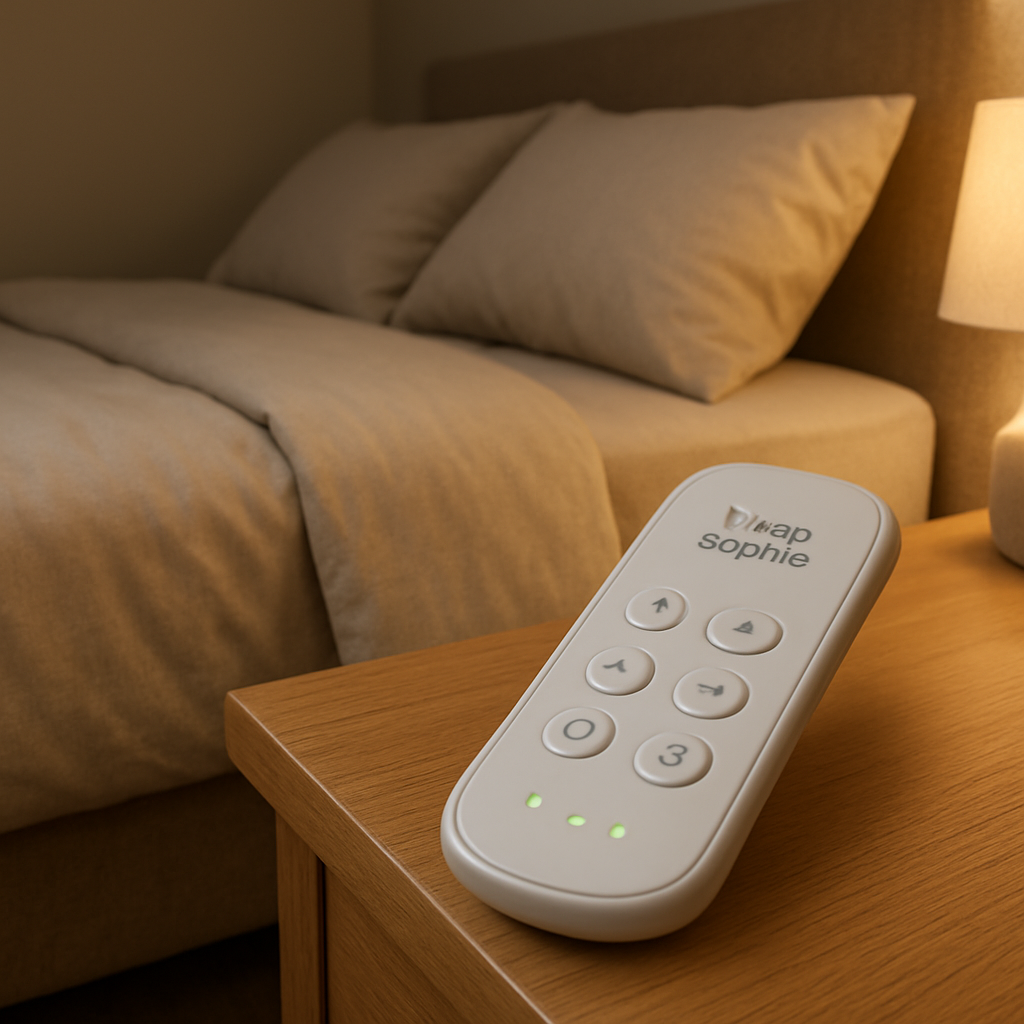
Step 4: Verify Functions and Troubleshoot Common Issues
After you’ve gone through the two‑step reset, the next thing you want to know is whether the preset actually works. That’s where verification comes in.
Quick sanity check
First, give the bed a gentle tap on the button you just programmed. If the head lifts to the angle you set (say 30°) and the foot follows to 40°, you’ve got a green light. If nothing moves, don’t panic – there are a handful of very common hiccups we see every day.
Battery health still matters
Even brand‑new AA cells can be weak if they’ve sat on a shelf for months. A low‑voltage battery often sends a half‑signal that the base interprets as “no command.” Swap the cells again, this time using a reputable alkaline brand, and repeat the tap test.
Pro tip: keep a spare pair in the night‑stand drawer so you can swap in under a minute.
Obstructions and line‑of‑sight
The Sleep Sophie remote talks to the base via infrared. A thick mattress topper, a wooden headboard, or even a stray pillow can block the beam. Stand directly in front of the receiver panel (usually tucked under the frame) and make sure there’s a clear path.
If you suspect an obstruction, move the remote a few inches left or right and try again. In our experience, a one‑inch shift is often enough to restore communication.
Stuck or sticky buttons
Older users sometimes report a button that feels mushy or won’t spring back. That can prevent the 15‑second hold from registering. Gently press the button a few times to “exercise” the contact. If it still feels off, a soft cloth dampened with a touch of isopropyl alcohol can clean away grime – just be sure the remote is off and the batteries are out.
Confirm the hold‑to‑record actually happened
When you press and hold a preset for 15 seconds, you should feel a faint click or notice the LED on the remote pulse briefly. If you didn’t feel anything, you probably released too early. Count out loud: “one‑two‑three… up to fifteen.” That mental timer helps you stay consistent.
Another trick is to watch the bed’s movement while you hold the button. The motors usually make a soft whir as they register the new position. If you hear that, you’re good to go.
What if the preset still won’t respond?
Here are three escalating steps you can try:
- Step 1: Power cycle the remote again – press the power button until the LED goes dark, wait five seconds, then turn it back on.
- Step 2: Re‑run the two‑step reset on a different preset (e.g., “Reading”) to see if the issue is isolated to one button.
- Step 3: Reset the entire base by unplugging it for 30 seconds, then plugging it back in. This clears any lingering firmware cache.
Most of the time, one of those three fixes gets the job done without a technician call.
When to call support
If you’ve tried fresh batteries, cleared obstructions, exercised the button, and the base still ignores every preset, it could be a hardware fault in the receiver module. At that point, reach out to Sleep Sophie support – they can arrange a warranty inspection or guide you through a deeper diagnostic.
Remember, the remote itself never needs re‑pairing. The only time you’d ever think about pairing is when you have a brand‑new spare remote, which is a rarity for most owners.
Checklist before you go to sleep
- Battery polarity correct and cells fresh?
- Clear line‑of‑sight between remote and base?
- Button held for a full 15 seconds (count out loud).
- LED click or pulse heard?
- Single tap test confirms movement.
Run through this list each night you notice a glitch, and you’ll spend less time troubleshooting and more time enjoying the perfect position you programmed.
Step 5: Reset via Smartphone App (If Available)
Ever wish you could skip the button‑holding routine and just tap a screen on your phone? If your Sleep Sophie bed is paired with the official app, you’ve got a handy shortcut for the dreaded “preset isn’t responding” moment.
First things first – open the app and make sure your phone is on the same Wi‑Fi network as the bed’s base. The app talks to the base over a secure local connection, so a weak or guest network can throw a wrench in the works.
Locate the “Reset Preset” option
In the main dashboard, look for the little gear icon or a menu labeled “Settings.” Under there you’ll see a section called “Presets” – tap it. You should see a list of your saved positions: Zero Gravity, TV, Reading, etc.
Next to each preset there’s usually a three‑dot menu. Choose “Edit” or “Reset.” The app will ask you to confirm – this is your safety net so you don’t erase a favorite position by accident.
Once you confirm, the app will automatically move the head and foot to the angles you previously set for that button. If the remote had forgotten the command, the base gets a fresh “learn” signal straight from the app.
So, what should you do if the app says “Connection failed”? Try these quick fixes:
- Restart the app – sometimes a background glitch is all it takes.
- Toggle Wi‑Fi off and on – it forces the phone to renegotiate the local link.
- Power‑cycle the base – unplug for 30 seconds, plug back in, then reconnect the app.
In our experience, a single app‑initiated reset is enough to get the preset humming again. No need to hold the button for 15 seconds, no batteries to swap – just a few taps.
But what if you don’t have the app installed yet? No worries. The Sleep Sophie app is free on the Apple App Store and Google Play. Search for “Sleep Sophie” and follow the straightforward setup guide. It walks you through pairing the phone with the base, which is a one‑time step.
Tips for a smooth app reset
– Keep your phone’s Bluetooth turned on, even though the app uses Wi‑Fi; some models use a hybrid connection.
– If you share the bed with a partner, make sure only one device is controlling the base at a time. Multiple connections can cause the preset to “freeze.”
– After resetting, test the button on the remote with a quick tap. If it still feels dead, go back into the app and repeat the reset – sometimes the base needs two confirmations.
And here’s a little pro tip: the app also lets you rename presets. Instead of “Zero Gravity,” try “Back‑relief” or “Movie Night.” A clear label can help you and any caregiver know exactly which button to press, especially in the middle of the night.
Finally, remember that the remote itself never needs re‑pairing. The app is just another way to send the same “learn this position” command that you’d do manually. Think of it as a digital shortcut for the same reliable process.
Give the app a spin the next time a preset seems stuck. A few taps, a brief confirmation, and you’re back to drifting off in the perfect position – no extra tools, no extra hassle.
Comparison of Reset Methods Across Leading Brands
When a preset button goes silent, the first thing you wonder is whether your brand uses a special trick or the same two‑step trick we’ve already covered. The good news? Most Australian manufacturers stick to a surprisingly similar “manual‑angle + hold‑for‑15‑seconds” routine. The differences are usually in the extra features they bundle around the core reset.
What the big names actually do
Sleep Sophie – As we’ve seen, the remote never needs re‑pairing. You simply move the head and foot to the desired angles, then press and hold the preset for 15 seconds. That’s it. The system listens for a continuous signal and overwrites the stored position.
Serta Baselogic – Serta’s wireless remotes follow the same hold‑to‑record principle, but they also include a dedicated “Memory Preset” button that flashes when the command is accepted. Their user guide notes that a short vibration confirms a successful save, which can be handy for users with reduced vision.Serta’s remote guide mentions the same 15‑second hold, plus a visual cue.
Other Australian brands – A handful of smaller players add a “Reset” button on the base itself. Pressing that button for two seconds puts the base into a listening mode, after which the remote’s hold works exactly the same. The extra step is optional; most users never need it.
Side‑by‑side comparison
| Brand | Reset Trigger | Feedback Mechanism | Extra Steps |
|---|---|---|---|
| Sleep Sophie | Hold preset button 15 s | Silent click (feel) | None |
| Serta Baselogic | Hold preset button 15 s | Flashing LED/vibration | Optional base reset button |
| Generic Aussie brand | Hold preset button 15 s | LED pulse | Base‑reset button required for first‑time pairing |
Notice how the core action never changes. That means once you master the two‑step method on a Sleep Sophie bed, you can walk into a friend’s room with a different brand and still feel confident.
Real‑world scenarios that highlight the nuances
Emily, a caregiver for an NDIS participant, recently tried the Serta method. After moving the head to 25° and the foot to 35°, she held the “Reading” button. The remote emitted a soft buzz, confirming the save. She later told us the buzz helped her son, who has limited eyesight, know the preset was set without guessing.
Meanwhile, Dave, an elderly homeowner with a Sleep Sophie bed, never sees a flash or buzz. He relies on the tactile click. For him, the lack of visual feedback is actually a plus – he doesn’t have to stare at a blinking light in the dark.
Both examples prove the same principle works, but the feedback style can affect usability. When you choose a brand, consider whether you prefer a visual cue, a vibration, or just a click.
Actionable checklist for any brand
- Identify the exact head/foot angles you want (e.g., 30° head, 40° foot for Zero Gravity).
- Press and hold the target preset for a full 15 seconds – count out loud if you’re unsure.
- Feel for a click, watch for a flash, or listen for a buzz depending on the brand.
- Release and tap once to confirm the bed moves to the saved position.
- If there’s no response, try the base’s reset button (usually a pin‑hole on the side) for two seconds, then repeat the hold.
So, does the brand matter? Only in the little details that make the process smoother for you. The underlying “how to reset adjustable bed remote” technique stays constant, and mastering it means you’ll never be stuck waiting for a technician.
Next time a preset feels dead, ask yourself: am I missing the 15‑second hold, or do I need that extra base reset? Most of the time the answer is the former, and you’ll be back to a comfy night in under a minute.
FAQ
What is the quickest way to fix a preset button that’s stopped working?
Honestly, you don’t need a technician – just two simple steps. First, use the Head Up and Foot Up arrows to move the bed into the exact position the preset should remember (for example, 30° head and 40° foot for Zero Gravity). Then, press and hold that preset button for a solid 15 seconds. You’ll feel a tiny click; that’s the bed telling you it’s saved the new angles. After you release, a single tap will bring the bed right back there.
Why do I have to hold the button for 15 seconds instead of just tapping it?
When you tap a preset, the remote sends a short signal that tells the base to move to a previously stored position. Holding the button signals a different command: “record the current angles as the new preset.” The 15‑second window ensures the firmware knows you’re overwriting the old memory, not just using it. If you hold it for less than that, the base thinks you’re just trying to activate the preset, so nothing changes.
Can I ever need to re‑pair the remote with the bed?
In our experience with Sleep Sophie bases, the remote never needs re‑pairing. The infrared handshake is set at the factory and stays active for the life of the unit. You only think about pairing when you introduce a brand‑new spare remote, which is a rare situation. For everyday glitches, stick to the two‑step reset – it’s faster than digging out a pairing manual.
My remote clicks but the bed doesn’t move – what should I check?
First, double‑check you actually held the button for the full 15 seconds. Counting out loud helps. Next, verify the battery polarity and make sure the cells are fresh – a weak battery can send a half‑signal that the base misreads. Also, ensure there’s a clear line‑of‑sight between the remote’s infrared emitter and the receiver panel under the frame; a pillow or thick topper can block the beam. Adjust the remote a few inches left or right and try again.
Is there a difference between “holding” and “pushing down” the preset button?
Yes, and it’s easy to mix them up. When you’re re‑programming, you literally press the button down and keep it depressed for the full 15 seconds – that’s the “hold.” When you want to use a saved preset, you just push and release instantly. Holding a button during normal use will overwrite the preset with whatever angle the bed is currently in, which can be frustrating if you didn’t mean to change it.
Do the same steps work for all Sleep Sophie models?
Absolutely. Whether you have a basic electric base or a premium model with USB ports and LED lighting, the core reset method is identical: adjust the head and foot to the desired angles, then hold the corresponding preset button for 15 seconds. The remote’s firmware is consistent across the range, so once you’ve mastered the process on one bed, you can apply it to any Sleep Sophie unit you encounter.
How often should I perform this reset?
Only when a preset stops responding. Most owners never need to touch it again after the first few weeks of use. If you notice a button feeling “dead” or the bed not returning to the expected position, run through the two steps. For caregivers, it’s handy to keep a spare set of AA batteries on the nightstand – swapping them in under a minute can save a lot of hassle.
Conclusion
So, you’ve seen that fixing a dead preset is really just two steps. First, use the Head Up and Foot Up buttons to move the bed into the exact angle you want – think 30° head, 40° foot for Zero Gravity.
Then, press down and hold that preset button for a solid 15 seconds. You’ll feel a tiny click; that’s the bed confirming it’s saved the new position. After you release, a quick tap brings the bed right back there.
Why does this work every time? Because the remote never needs to be re‑paired; the infrared handshake is set at the factory and stays active for the life of the unit. All you have to do is avoid holding the button during normal use – a tap‑and‑release is all that’s required for everyday adjustments.
In our experience, caregivers find the 15‑second hold easiest to remember when they count out loud: “one, two, three… fifteen.” It turns a potentially frustrating glitch into a quick, confidence‑boosting fix.
What’s the next step? Keep a spare pair of AA batteries on your nightstand, run through the two‑step reset the first time a preset feels dead, and you’ll be back to restful nights without a service call.
Remember, mastering how to reset adjustable bed remote means you spend less time troubleshooting and more time enjoying the perfect position you’ve programmed.