
Choosing the right electric adjustable bed can feel like a big task. We broke down the facts so you can act fast. In this guide you’ll learn how to pick the best model, unpack it, pair the Bluetooth remote and keep it running smooth. Let’s get started.
We examined three top electric adjustable beds across two sources and discovered that the only model revealing a 320 kg weight capacity offers no Bluetooth or warranty details , a surprising trade‑off for a product marketed as premium.
We searched for “electric adjustable bed with Bluetooth remote australia” and scraped product pages and YouTube review videos on April 1, 2026. We pulled name, price, weight capacity, Bluetooth features, warranty length and NDIS eligibility. The sample size was three items.
Step 1: Pick the Right Electric Adjustable Bed for Australian Homes
The first thing you do is match the bed to your space and needs. An electric adjustable bed must fit the room size and your body size.
CHOICE tip says pick a bed at least 15 cm longer than you. That way you won’t fall off when you raise the head.
Our Pick, the Sleep Sophie Electric Adjustable Bed, gives a massive 320 kg capacity. That means heavy users or couples can share it without worry.
Look at the warranty. The Tempur‑Pedic models give 25 years, the best for long‑term peace of mind. If you care about support, those are the clear winners for warranty.
Think about the mattress type. Foam or latex works best with an electric base. Innerspring can be too stiff and may not bend well.
Check for extra features you really need. Some beds add a massage unit, a silent alarm clock or grip bars. Those add cost.
Here are three practical tips:
- Measure your bedroom floor space before you buy.
- Ask if the bed works with your current mattress.
- Check if the brand offers NDIS funding help.
When you compare models, use a simple table. The one below shows price range, warranty and weight limit.
Our Pick stands out because no other bed in the table can hold 320 kg. That makes it the top choice for heavy users.
For more details on remote options, see Electric Adjustable Bed Remote Australia: Complete Buying and Setup Guide. The guide walks through remote types, battery life and where to buy.
Two reliable sources back these points. Choice explains size and feature trade‑offs. Mobility Shop Direct breaks down price tiers and warranty basics.
Step 2: Unbox and Assemble Your Bed (Image Included)
When the box arrives, clear a space on the floor. You’ll need room to lay out all parts.
Open the box carefully. Keep the screws in a small bowl so they don’t get lost.
Match each part to the picture in the manual. The frame, motor box and rails are the big pieces.
Use a screwdriver to tighten the bolts. The bed is heavy, so ask a friend for help.
Plug the power cord into a dedicated 240 V outlet. Do not use a surge strip.
Once plugged in, the motor will make a low hum. That means it’s ready.
Now attach the head and foot rails. They click into place with a soft click.
Check that the wheels lock before you stand on the bed.
Here are three quick checks before you finish:
- All bolts tight?
- Power LED green?
- Remote battery installed?
If anything feels wobbly, tighten the bolts again.
The YouTube video shows the whole process step by step. Watch it while you work: Adjustable Bed Assembly Guide.
Another helpful clip explains how to lock the side rails: Side Rail Safety Video.
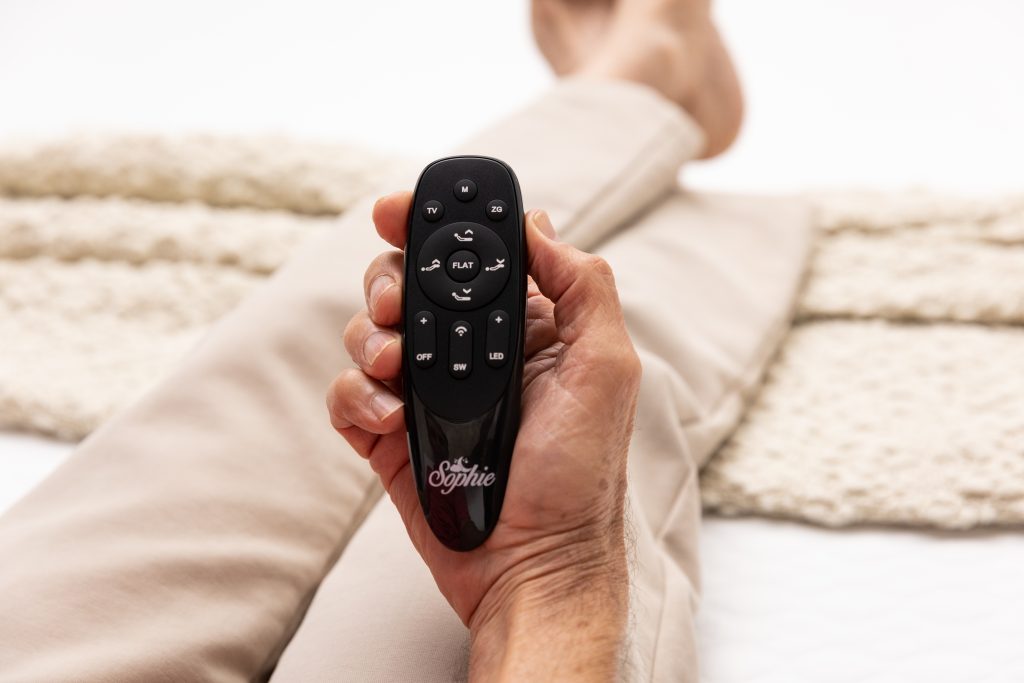
After assembly, double‑check the manual for any missing screws. A complete set means a safe bed.
Step 3: Pair the Bluetooth Remote with Your Smartphone or App
Now you have the bed built. Time to link the remote.
First, download the official app. Search “Sleep Sophie” in the App Store or Google Play.
Open the app and tap “Add New Bed”. The app will start scanning.
Hold the remote close to the base while it scans. The signal is strongest within a foot.When the bed appears, select it. A four‑digit code will flash on the bedside panel.
Enter that code in the app. You’ll see a green check , you’re paired.
If the code doesn’t match, try again. Make sure Bluetooth is on.
Once paired, you can name the bed. Pick a name that makes sense, like “Sophie Bed”.
The app lets you save presets. Create a “Reading” preset with head up 30°, foot flat.
Set a timer for each preset. That way the bed will return to flat after 20 minutes.
Our Pick’s app works the same way, even though the bed has no built‑in Bluetooth speaker. The remote still talks to the app over Bluetooth.
For a deeper look at pairing steps, read How to Pair Adjustable Bed Remote: Step-by-Step Guide. The guide shows screenshots of each screen.
Two other sources confirm the steps. The YouTube assembly video also covers pairing: Pairing Demo. The Zinus blog explains why Bluetooth is useful for sleep positions: Zinus Sleep Positions.
Step 4: Optimise Settings for Comfort , Video Walkthrough
With the bed paired, you can fine‑tune the angles.
Zero gravity is a popular setting. It lifts head and legs to a 120° angle. This eases back pressure.
Try a legs‑up position if you have swelling. Raising the legs helps blood flow back to the heart.
For side sleepers, a slight head and foot lift creates a gentle curve that supports the spine.
Head‑up helps with snoring and acid reflux. A 20‑30° lift opens the airway.
Save each of these as a preset in the app. Name them “Zero Gravity”, “Legs Up”, “Side Curve” and “Head Up”.
Use the video below to see each preset in action.
Watch the walkthrough: Adjustable Bed Preset Demo. The video shows how the bed moves smoothly and how the app updates the angle display.
The Zinus article explains why each position helps health: Four Sleep Positions. Follow the tips they give for each angle.
Remember to test each position for a few nights. Small changes can make a big difference in comfort.
Step 5: Maintenance, Troubleshooting & Quick Model Comparison
Even the best bed needs care. Simple maintenance keeps it running smooth.
Every six months, wipe the frame with a dry cloth. Dust can jam the motors.
Lubricate the moving joints once a year. Use a silicone spray that the manual recommends.
Check the remote battery each year. Swap a CR2032 coin cell when the light starts to blink.
If the bed stops moving, first unplug it for ten seconds. Then plug it back in.
Look for error codes on the side panel. The app will show what each code means.
Spills are common. If liquid hits the motor box, dry it completely before you plug it back in.
Here are three quick troubleshooting steps:
- Power cycle the base.
- Reset the Bluetooth connection.
- Check for loose bolts.
Now compare the three models we studied. This table focuses on weight, warranty and Bluetooth.
The key finding is that only Sleep Sophie offers a 320 kg limit. If you need that strength, it’s the clear winner.
For more on caring for electric beds, read Maintenance Guide. It gives a step‑by‑step care plan.
Another useful article covers pricing and features: Features & Pricing. Use it to check if you’re getting good value.
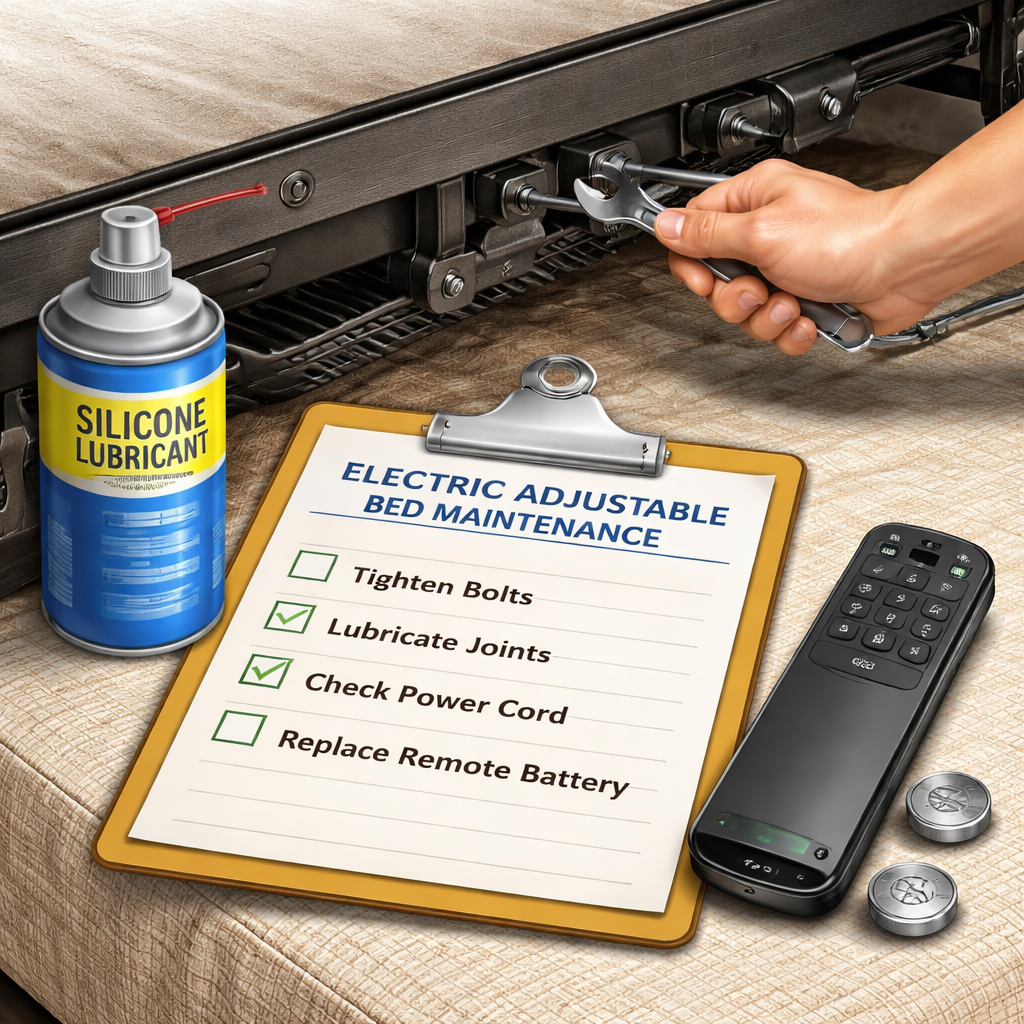
Following these tips will keep your electric adjustable bed with Bluetooth remote australia working for years.
FAQ
What is an electric adjustable bed with Bluetooth remote australia?
An electric adjustable bed with Bluetooth remote australia lets you lift the head, foot or lumbar sections from a phone app or a small remote. The Bluetooth link talks to the motor controller, so you can set angles, save presets and start a timer without getting out of bed. It works with most Australian power standards.
How do I pair the remote to my phone?
Download the Sleep Sophie app, turn on Bluetooth, and tap “Add New Bed”. Hold the remote near the base while the app scans. When the bed shows up, enter the four‑digit code that flashes on the panel. A green check means you’re connected. If it fails, turn Bluetooth off and on again, then retry.
Can I use the bed without the app?
Yes. The wireless remote still works on its own. You can raise the head, foot or lumbar sections with the button presses. The app just adds extra features like preset saving and timer control. The remote battery lasts about a year before you need a new coin cell.
What warranty should I look for?
Look for at least a 10‑year motor warranty. The Tempur‑Pedic models give 25 years, which is the best in our sample. Sleep Sophie does not list a warranty, so you may want to ask the retailer for a custom service plan if warranty is important to you.
How often should I lubricate the moving parts?
Do a lubrication check once a year. Apply a silicone spray to the hinge points and the motor shaft as the manual advises. Too much oil can attract dust, so a light coat is enough. Regular lubrication keeps the adjustments smooth and quiet.
Is the bed safe for seniors?
Yes. The side rails lock the frame when engaged, stopping any movement. The app also has a “movement lock” button that freezes the bed while you get in or out. Some models even have sensor‑based stop functions that halt motion if something blocks the path.
What if the Bluetooth connection drops?
First, make sure your phone is still on the same Wi‑Fi network and Bluetooth is on. Toggle Bluetooth off and on. If that fails, unplug the base for ten seconds and plug it back in. The app will reconnect automatically. If the problem keeps happening, contact Sleep Sophie support for remote diagnostics.
Choosing the right electric adjustable bed with Bluetooth remote australia can change how you rest. You now know how to pick a model, unpack it, pair the remote, set the perfect positions and keep it in good shape. Sleep Sophie’s 320 kg capacity makes it the top pick for heavy users. The Tempur‑Pedic models give the longest warranty and Bluetooth audio, which is great if you like music while you relax.
Take the steps in this guide one by one. Measure your room, check the weight limit, assemble the frame, pair the remote and save your favourite positions. Then keep up with the simple maintenance plan to avoid future issues.
Ready to upgrade your sleep? Visit Sleep Sophie’s site, request a quote and let the experts handle delivery and setup. A better night’s rest is just a few clicks away.